AWS
A unified conversational system for faster, smarter cloud support
Role
Experience Designer
Team
1 Experience Designer
2 Engineers
1 Product Owner
My contribution
Discovery & Strategy
Conversational Design
Chatbot Experience Design
Timeline
24 Weeks
The problem
My role
The outcome
Overview

Challenge
Customers hit a sprawling, fragmented support surface. The chatbot looked smart but rarely closed the loop, and when stakes spiked, there was no scalable path to a real human.
Where the experience was breaking down
- Incorrect or irrelevant routing from Lex / Kendra led to user frustration
- No visibility into a customer's history, past issues, or pages visited
- No scalable callback or escalation flow
- Support fragmented across chat, email, and phone with no shared state
Research
Our starting point was to understand who we were designing for, and what pressure they were under when they reached for help. The core assumption I set out to test: that customers didn't want a smarter bot. They wanted a faster, more certain route to resolution, human or not.
Key questions guiding discovery
- Who is using the system, and what pressures are they under?
- What slows them down today?
- What do they need to act confidently and quickly in high-stakes moments?
This clarity shaped every design decision and ensured the chatbot directly addressed real customer pain points instead of guesses.
Wireframes and Designs
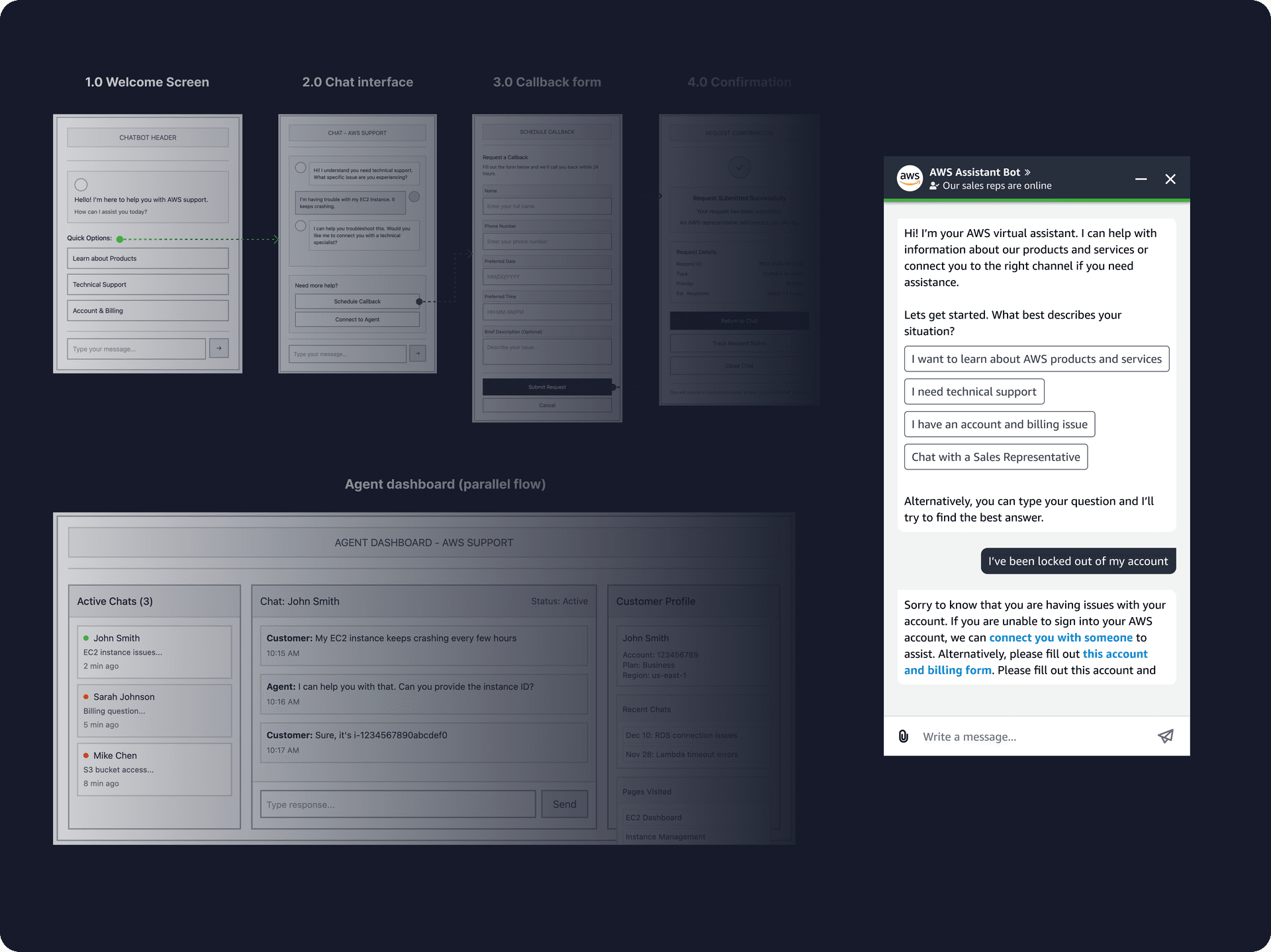
Designing a conversational experience that works in the real world. Our sprint focused on two parallel flows running in lockstep.
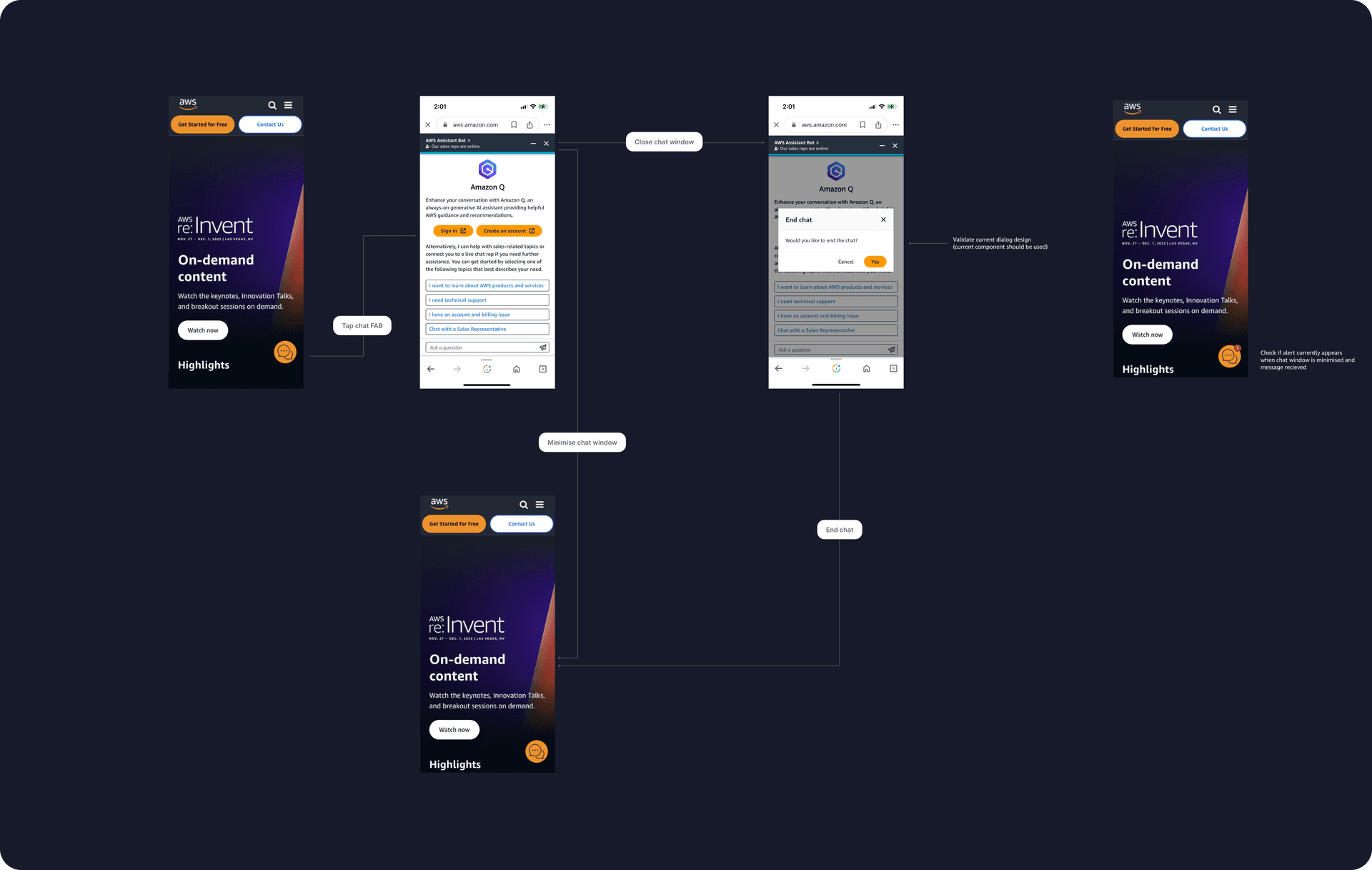
1. Customer-facing chatbot flow
- Streamlined onboarding for users in distress (e.g. identity lockouts)
- Introduced quick actions for technical triage
- Added a seamless path to Voice Callback
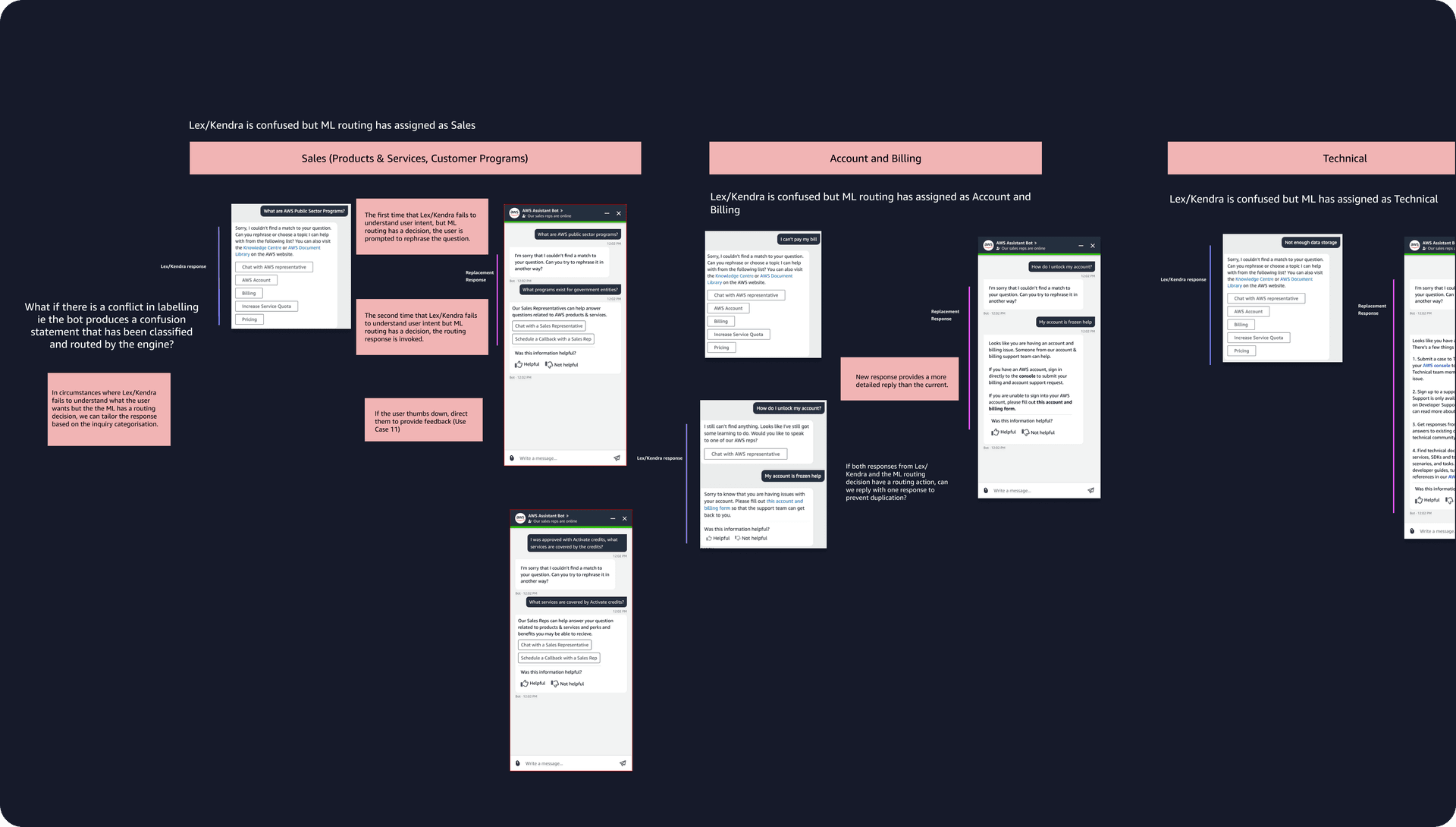
- Tuned ML routing so it aligned with real user intent rather than keyword guesses
Wireframes 1.0 to 4.0 visualise how users move from first message to resolution.
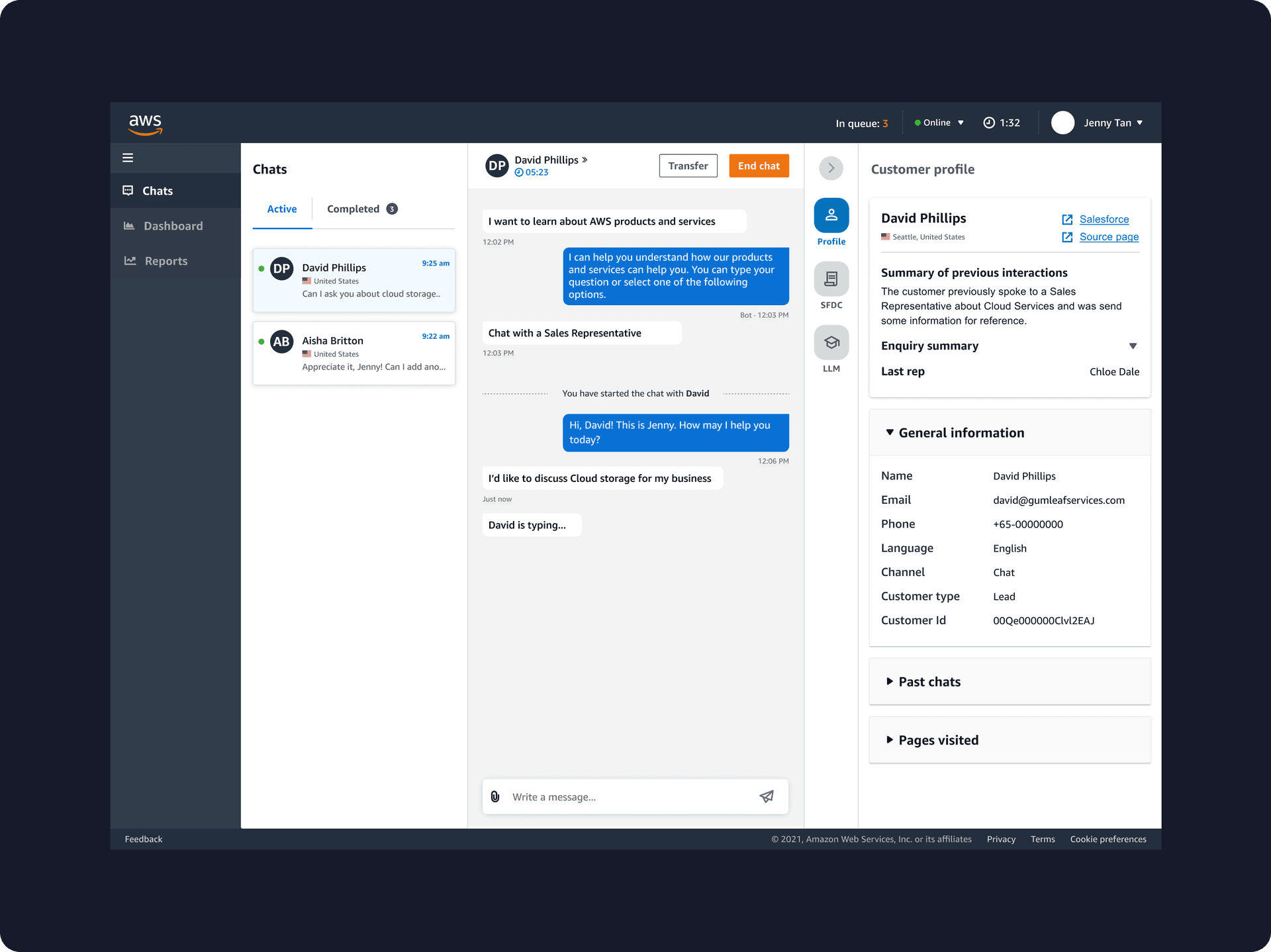
2. Agent dashboard (parallel flow)
- Context-rich agent interface surfacing recent errors, pages viewed, and past chats
- Smart ML routing logic to classify and direct queries before they hit the queue
- Unified support layer threading chat to callback to follow-up under one record
The result: a single source of truth for agents, and dramatically less back-and-forth questioning during live handling.
In the details
The distress states got the most attention. For an identity lockout I cut onboarding to the fewest possible steps, kept the “talk to a human” affordance visible from the first message rather than buried behind failed bot replies, and designed the empty, error and mid-callback states so no one ever hit a dead end.
Solution
Problem solved
Context switching and inefficient AWS resource management were eliminated by folding management capabilities directly into the chat interface.
Customer experience
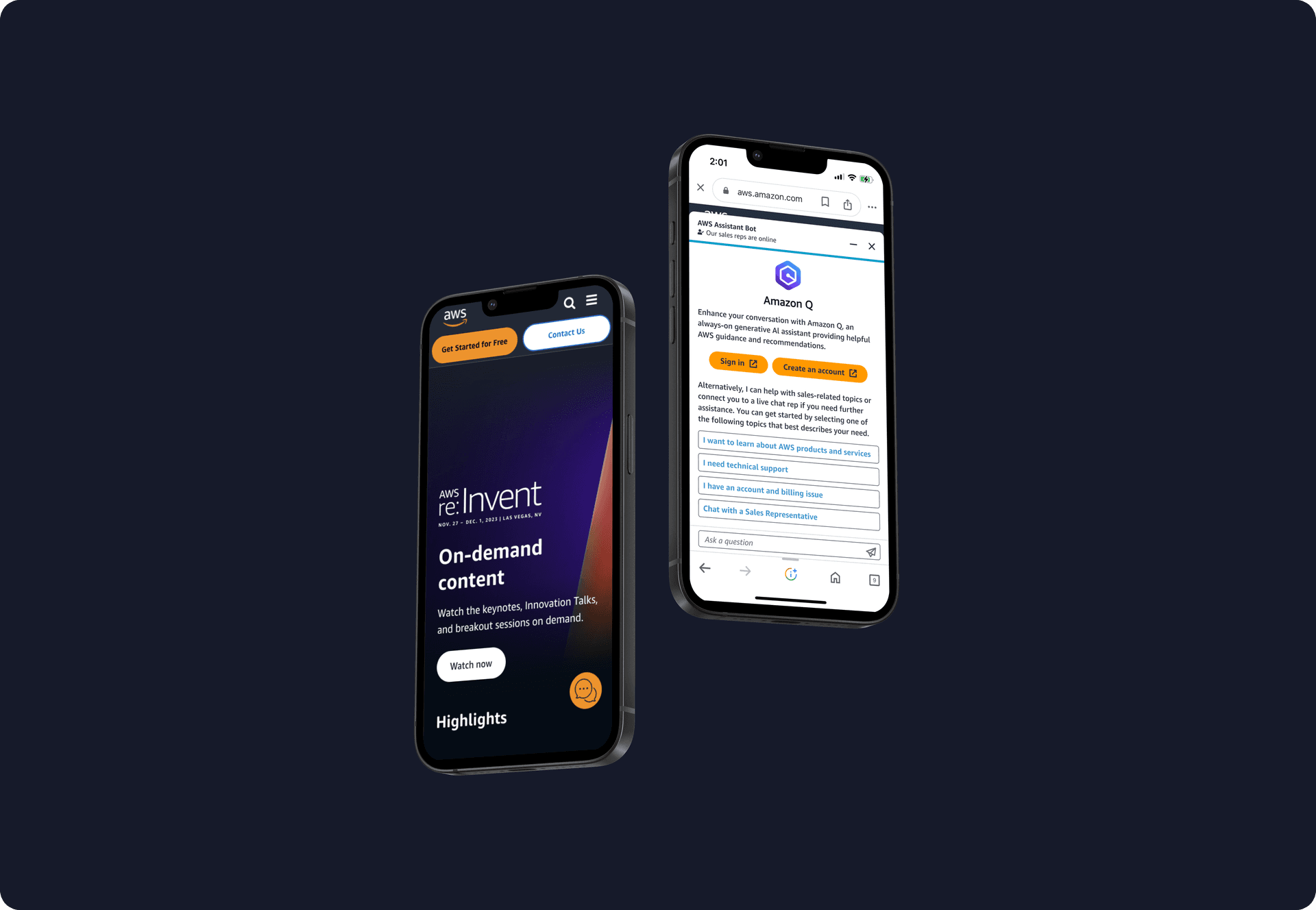
The chatbot became a central hub for cloud operations, enabling users to access diagnostics, monitor resources, and execute commands in real time without jumping between consoles.
Agent efficiency
A context-rich agent interface integrated with Salesforce delivers instant history and signals (e.g. pages visited, recent errors), so agents can resolve issues faster and with less repeated questioning.
Core systems
Bespoke ML routing logic and a unified “support everywhere” entry point across channels, backed by a robust voice callback system.
What drove the ~20%
The context-rich agent dashboard did most of the work. Surfacing recent errors, pages viewed and past chats the instant a conversation reached an agent removed the back-and-forth of re-establishing context. That was the single biggest contributor to the ~20% cut in average handling time.